
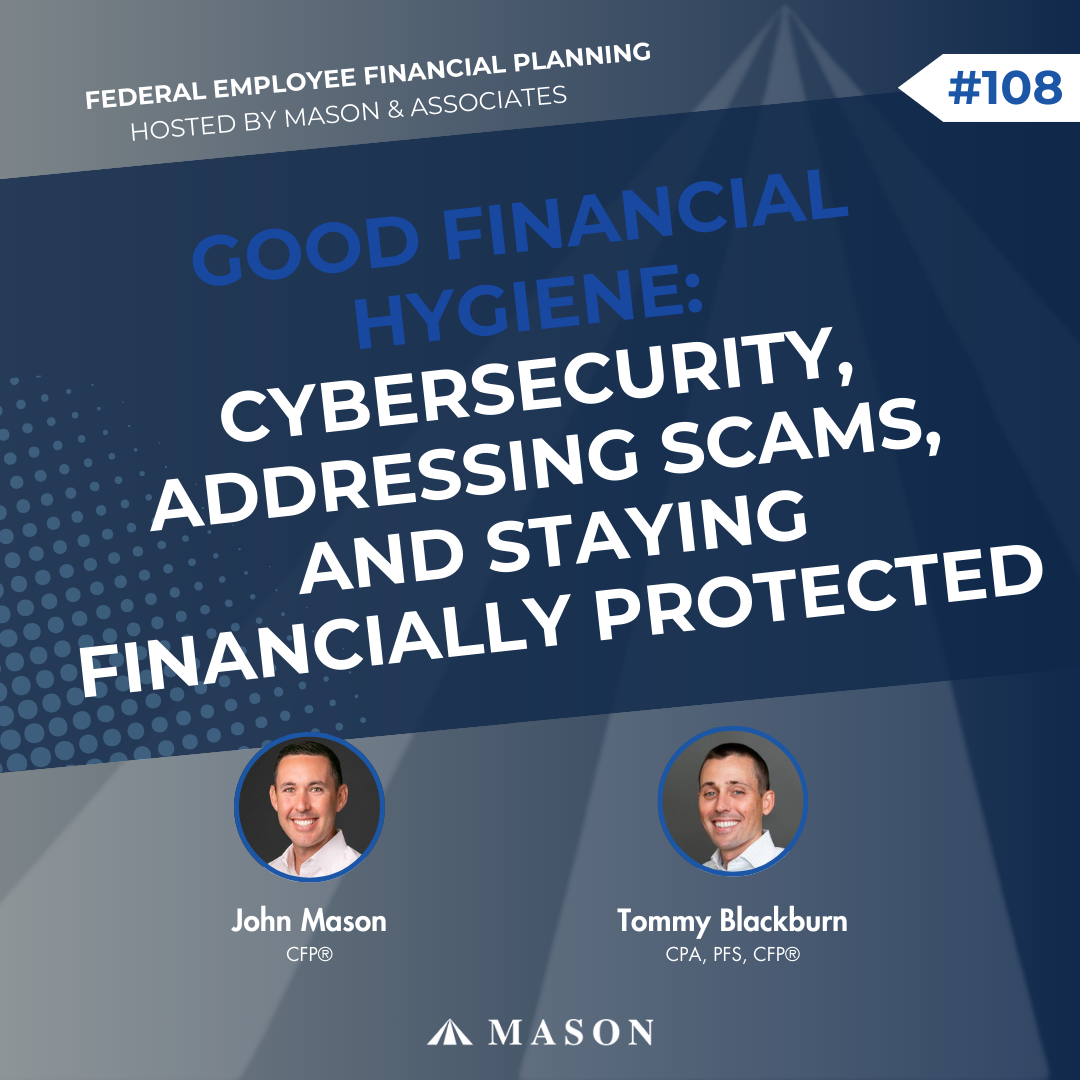
What if getting hacked isn’t a question of if, but when? In this episode, Tommy Blackburn and John Mason break down the real-world cybersecurity risks they’re seeing—not in theory, but from personal experience. After being compromised multiple times in a single year, John shares why even people with strong security habits can still be targeted, as well as what that means for retirees, business owners, and anyone managing meaningful assets.
Listen in to learn the practical, everyday habits that actually reduce risk, from credit card and checking account setup to password managers, multifactor authentication, and spotting scams. You’ll hear how simple systems and layered protection help you stay one step ahead in a world where convenience can quietly cost you security.
Listen to the full episode here:
What you will learn:
- The importance of checking your payments frequently. (4:15)
- The benefits of using credit cards. (6:45)
- Why you should be careful about saving passwords or information. (10:00)
- The value in using a multi-factor authenticator. (17:30)
- Why you should always listen to your gut about what feels right. (19:30)
- How to better protect yourself against hackers. (24:00)
- How to avoid falling for phone scammers. (29:55)
- The benefit of having cash on hand. (35:00)
- Why convenience is not always the answer. (40:00)
Ideas Worth Sharing:
- “Credit cards are a layer of protection between your money and the vendor.” – Mason & Associates
- “Security isn’t free. There will always be some level of inconvenience for good security.” – Mason & Associates
- “It’s not that it’s impenetrable, but putting up pieces of defense that are deterrents makes it so you’re not easy pickings.” – Mason & Associates
Resources from this episode:
Did you enjoy the Federal Employee Financial Planning Podcast? Never miss an episode by subscribing on Apple Podcasts, Amazon, Spotify, and YouTube Music.
Read the Transcript Below:
Congratulations for taking ownership of your financial plan by tuning into the Federal Employee Financial Planning Podcast, hosted by Mason & Associates, financial advisors with over three decades of experience serving you.
John Mason: Tommy, welcome to the Federal Employee Financial Planning Podcast.
Tommy Blackburn: John, good to see you again today. I always enjoy doing these together. Thanks for kicking us off here, joining me. Looking forward to today’s episode. It seems like it’s always a relevant topic.
John Mason: It is. As we unpack today, Tommy, like cybersecurity, full caveat disclosure, we’re not cybersecurity experts, but we put a lot of resources into keeping our business environment safe.
We put a lot of time and effort into keeping our own personal stuff safe. So it is something that as financial planners and business owners, we have had to become cybersecurity experts, I’ll say, or at least very well versed in the things and the hygiene and the things we should be doing every day to try and keep our business, our clients, and our personal lives safe. Audience, today is November 19th, 2025. We hope you enjoy this content. It’s not gonna be a lot of federal employee financial planning specific stuff, but we’re gonna talk about what we do in our personal lives to keep ourselves safe. So, Tommy, the reason this was hot on my mind is one, I’ve been compromised twice this year. So in tax year, calendar year 2025, I’ve been compromised twice.
I don’t think that that’s my fault. I don’t think that I’m doing things incorrectly. I just think it means that we’re all going to be compromised at some point. But secondly, clients are getting taken advantage of as well. And I think that is a really good point for our audience to hear is that yes, you will be compromised.
Yes, it’s going to be frustrating. Yes, it could be life-altering in some cases. So we need to have our defense up all the time, specifically the clients we work with, Tommy, enter near retirement with a million dollars or more. Commonly 60, 65 years old, which I don’t know how the bad actors find senior citizens and start blasting them with cyber attacks, but they do that. So we do have quite a bit to unpack today.
Tommy Blackburn: I love it. Yeah, quite a bit, ’cause I think about we have, as the firm, the security that we have to ensure that we have and do our best, and we hire help, of course, to help us navigate that even further than in our personal lives, because the business kind of extends to us as the advisors.
So we have to be cautious there, as well as just as individuals in general. And then of course, our clients. Yeah, I don’t know where they find the demographic, but I imagine to your point, these folks are in or near retirement with invest, you know, substantial assets and income. So it would make sense that they’re targeted because there’s something to target there.
So, and as I think of it, you led with, “I don’t think I’m doing anything wrong.” And I can tell the audience from my perspective, John, is 100% not do anything wrong. If there’s anybody amongst us who takes security to like the most extreme level, it’s generally John. We’re all lucky to have him and his thoughts and his security practices.
So yeah, it cannot be you because I think you probably do the best of anyone I know of for security practices.
Commercial: We’re excited to share that Mason & Associates has been recognized with an Inc. 5,000 award as one of America’s fastest-growing private companies. This recognition means the world to us, and it’s a direct result of our talented team, loyal clients and listeners like you who continue to support what we do. Thank you for being a part of this milestone with us, and we look forward to what’s ahead. This rating was given in August 2025 by Inc. in consideration for the 2024 calendar year. Per Inc’s methodology, an application fee was due to assist with processing applicants. Mason & Associates does not receive compensation by or for this rating.
John Mason: Well, thank you. Thank you. So I think one thing that I do, so I was compromised on a checking account this year, Tommy, as well as one of my favorite credit cards. I used the Citi Double Cash and maybe I’ve said that on this podcast episode, and maybe that’s how I got fraudulently charged, something, who knows.
But, so a credit card was compromised and then a personal checking account was compromised. So we’ll start with the credit card, and I think, I know we do this for the business and I think you’d both, you do it personally as well, is I have it set that I get a text message every time my card is charged, whether it is swiped or the number credentials are entered, whatever the charge is it’s over one penny, I get a text message notification. Sure enough, I’m cooking dinner one night, I get a charge from somewhere in New York at a natural gas filling station or something and it’s like, well, clearly I’m not in New York and I’m able to fix that situation within 20 to 30 minutes, but I’m notified immediately of that. And I know we do the same thing with our business credit cards, too.
Tommy Blackburn: Exactly. Yes, I do that practice. Sometimes it’s, I guess, slightly annoying to get the notifications, but it is very helpful just to like, okay, I don’t, why did that hit? And we do do it for the business, and recently I forwarded one to John.
I knew exactly what it was, but it is, the audience can hopefully imagine, you know, multi-team business serving many people. The expenditures for a business are much larger than in our personal lives. And we were prepaying some dues for a membership organization that we’re part of. And so something north of 10,000 came through. I got a notification. I was like, “What in the world?” But it was all a joke. I knew, I fully expected it, but to your point, yes, we do that and credit cards. So I love that practice. Credit cards are also generally just a much better kind of like layer to protect you.
Credit cards seem to be very good about if something fraudulent has happened and you can test it about basically locking it down, refunding it, and getting to work immediately. It seems like it’s a really great way to protect yourself, whereas debit card, I think you get to the same place, but it seems like it takes, it’s a much longer process and maybe you don’t even get to the same place.
So it does seem like this is a benefit of credit cards, is that that’s just a barrier between your money and the vendor and credit card seem to really be like, “Yep. We’ll cancel that. We’ll issue a new card. We’ll overnight it to you and we’re gonna investigate and we’ll take care of this.”
John Mason: We did an episode a few weeks ago where we talked about how it was annoying that people were charging convenience fees now, and how we wouldn’t maybe wanna start paying cash or check, or maybe swipe a debit card at institutions that are charging you a two to 4% convenience fee.
But to your point, Tommy, like I never swipe my debit card in public. The only time I use my debit card is to get cash out of an ATM or if I’m inside the credit union and I need to identify myself because I don’t even know what my, they’re like, “What’s your member number?” I’m like, “I have no idea what that is.”
I stick my card in. I’m like, “This is who I am. Help me.” And so I agree with your point that I’d much rather my fake money be stolen from me than my real money. So I’m always using a credit card. I think for our audience, if you’re a Dave Ramsey fan, that’s fine. Maybe there is something to the psychological aspect of spending fake money, and maybe you do spend a little bit more on a credit card than you would on a debit card, but in today’s age, when things are just being hacked and cybersecurity’s a real thing, I’m not putting in my bank account credentials or a debit card on nike.com to buy some new shoes. I’m just not doing it. I’m using a credit card. So I think as consumers, we just need to be responsible with our spending and use, in our opinion, credit cards whenever, wherever possible, because we do believe it’s more secure.
Another good point here is you should have more than one credit card. Maybe you should always be getting 2% cash back, which I know we’ve talked about before. 2% cash back or the equivalent in points, up to four or 5% cash back sometimes, whether it be on gas or other rotating categories. If one card is compromised, you sure like to have a backup, so two or three credit cards in your arsenal.
One, so you maximize the points, but two, so locally in the United States you have options, but certainly if you’re overseas and a card’s compromised, you definitely wanna backup.
Tommy Blackburn: You wanna back up and if you’re overseas, hopefully one or two with no foreign transaction fees. Yeah. So it’s good to have some redundancy and options there.
As you mentioned, the vendors online and using credit cards like at nike.com. 100% agree. And it just made me think, you always get that option where it’s like, “Hey, do you want to save this information for future use?” I personally do not do that. And I love convenience, so it’s very intentional for me to not save my information.
And it’s not that I don’t, it’s not that I think the vendor is going to just start charging things to the card on file without, you know, fraudulently. My concern there is that they have their own security practices that I need to be concerned about, and I’m sure they’re, but it’s just putting my information one other place so that if Nike, for instance, in this example, I’m not going after Nike. I have no idea. I’m sure their security practices are great, but if them or whatever system they’re using gets hacked, compromised, well, now that information just was, feels like another place for my information to get compromised, so I don’t save them at vendors.
John Mason: Good point. And along that line, I don’t either; I don’t save my credit card, I turn off autofill. So things like credit cards and addresses don’t automatically populate in the browser. We use incognito mode or a browser like Brave or something that hopefully feels like a little more secure. We’re not saving passwords in Safari or Google Chrome, or Microsoft Edge. We’re using a password manager that has encryption and multifactor authentication baked into it.
So all of these reasons, like Tommy, you mentioned Nike’s own security, well, let’s face it. Audience, many of you have three to five passwords that you probably cycle and of nike.com or recently there was–recently, it was probably like a decade ago, it feels like, but RING, the home security system, was compromised and people were logging in to ring.com and able to view the video feed from these doorbells and other cameras. And I don’t remember the exact details of it, but it was actually not that ring.com was compromised, it was that somewhere else, passwords were compromised, and then those people used those passwords on ring.com and they were able to access your home webcams and doorbells and things of that nature.
So you want unique passwords at all these different locations, which I don’t think it’s physically possible to have unique passwords and unique usernames at all of these different places without some sort of password manager. Maybe you can do it in an Excel spreadsheet. I highly doubt it. We’ve seen this for 15 years, that clients tend to reuse similar versions of the same password, which is certainly crackable.
Maybe that’s gonna get better with passkeys. I don’t really know what pass keys are, but password managers also store pass keys, and then certainly multifactor authentication. That would’ve been a good way, Tommy, for, if Macy’s was compromised and that password was used to access your ring security system, well, multifactor authentication could have helped there too.
Tommy Blackburn: Yeah, I love all of those practices and agree. I think password manager, even in a world of pass keys, which I don’t fully understand yet either, all, yeah, seems like you gotta have it. I don’t know how you could possibly keep up with it. It’s more organized, even if something happens to you. Like we know LastPass has a feature where you can authorize somebody who can have access to it and in a pickle.
So love all those practices. I’m thinking here, so we were talking about credit cards and checking and debit. And I kind of went into the layer, credit cards give us a layer of protection, kind of like a buffer between, as you said, the fake money and the real money, which I love and I think part of another concept here, both of us, in our checking account, so it’s that’s the operating account where bills are paid from and money like actually leaves our control. I think we both, in our quote-unquote big checking, try to keep that pretty low, and we try to keep our funds either in a savings account, so again, we’re putting layers of like, “Hey, my like real, real money is another layer removed from my checking.” Or it’s in an investment account where only things from the investment account can go to the checking account. So, like trying to make it so that this funnel is several steps to it for anything to get to. And John, you take an additional step, which I think is helpful to talk about, which is you have kind of more than one checking account.
John Mason: Yeah, I have one that in my mind, I created when I started using Venmo, which, audience, I’m 38 years old. Tommy’s about to be 38, right? In a few days. I wasn’t late to the game using Venmo, but maybe I was a little later than the generation behind us. Anyhow, I created a Venmo checking account, Tommy, which is just a baby checking account.
I typically keep three to $500 in there, and that’s what I use for Venmo, but also, on your debit card, you can specify out of your three checking accounts, when you swipe your debit card, where do you want the funds distributed from? Well, let’s say I’m keeping 10 to $20,000 in my real checking account, and I keep $500 in my Venmo checking account.
I’ve structured it so that when my debit card is swiped, it’s coming out of the $500 checking account. It’s not coming out of the $15,000 checking account. So recently, when I was compromised, somehow, some bad actor got my debit card, used it on Walmart.com, which apparently is rampant right now, and charged $26.99, but it came out of my baby checking account.
So I feel good about that because there’s a lot more money in the other one. And now, when I swipe that debit card, if I ever have to in public, I just know I need to transfer money into that account before I use the card. So I think it’s a good practice and it’s the first time my checking account’s ever been compromised. I think in 38 years on this planet, I’ve never had a checking account physically compromised before. So it’s the first time and it was a little shocking and I think confirms that my over-the-top practice is a good idea.
Tommy Blackburn: Yeah, no, I think it is. And I wonder, ’cause I’m with you, it seems odd these days for checking accounts to get compromised, but I wonder if that’s because we’re defaulting to credit cards for most of our interactions.
So the information is just probably not anywhere near as readily available because of that. But yeah, I think that’s a great practice and as we go through this, it’s leading me down in path or thought process recently. It goes back to you being a very secure individual and we took this practice for the firm was what led it.
And part of it was the security training and about AI being rampant and impersonating people. But it’s also good in your personal life. And what I’m thinking about, John, is locking down phones. But that’s the SIM card, the phone number lock. I think that was the primarily the ones that’s a good practice for people to consider.
I don’t remember if there’s another; it’s almost like freezing credit, which we’ll probably hit that in that when you do this, it does potentially create a little bit of a pain point. So when you go to get a new phone, transfer your number, et cetera, change anything. After you put these locks on, you have to proactively remove them ahead of time or that’s not gonna allow it, because that’s what it’s there for.
All of it really wasn’t that difficult to do. But yeah, John, if you want to, I don’t know if you wanna elaborate any, but I certainly hope the audience gets that as a takeaway, is think about adding these security features to your phone service.
John Mason: I think the SIM card lock and the number lock are very important. With the sim card hack, you think about how many people have text message authentication, and audience, if I’m slightly off base on this, don’t barbecue me. But again, my understanding is if you have your SIM card hacked, that potentially somebody could have the ability to answer your phone call or receive a text message that’s sent to you.
And if you are using text message as a form of your multifactor authentication and your SIM card is hacked, that could be a big problem, our understanding. So one, we recommend an app-based multifactor authentication, something like a Duo or Authy, which can be, or a Google Authenticator, which can be used for a variety of websites as well as even unlocking your desktop or PC.
So, having true app-based multifactor authentication or something like a YubiKey, number lock, SIM card lock takes maybe 60 seconds on the Verizon.com portal. Verizon Wireless portal. Highly recommend it. It’s free. There’s no cost to you. But yes, Tommy, when you go to upgrade your phone, you’re gonna need to basically unfreeze both of those temporarily and then refreeze them once you’ve got that new device.
Tommy Blackburn: Which I’ve gone through it and it’s not that difficult. You probably just want to hopefully store it in your memory that you’ve done that. so that you don’t get slightly embarrassed at the Verizon store when you go. Thankfully, I remembered. So I was proactive about doing it and John’s done it, helping others around the firm as they were upgrading their phones.
So, and I think he could attest. It’s not difficult. The AI thing has me thinking too, John, it’s part of the training we’ve done and even security practices we’ve instituted here, is these fakes are getting more and more sophisticated and convincing, is if something really, one biggest thing is anytime there’s like a push to a rush, right? Whereas it’s an emergency or we gotta make a quick decision, something needs to be done in a hurry, that’s like an automatic throw up, throw up your guards, hit the brakes, something’s off.
And we try to train our clients and our team, our families. Like that’s just not how we operate. We always wanna do things in good order. We want to have time to make things done orderly. So that’s step number one. Step two is if, yeah, if it doesn’t, if it wasn’t expected or it sounds a little off, question it. And then typically it’s like, “Hey, let’s have a phone call,” with somebody to authenticate further, or even like a video meeting. And I think those are still good. But they’re not foolproof, right? So somebody, AI, could still be trying to trick you there. And so at that point we said, “Hey, even if you do that and this still seems off to you. Like if your spidey senses still don’t think this is right, continue to pause and reach out to somebody, another trusted contact for that person.”
So we’ve instituted that internally and I think even externally with our families. But just another thing to think through. Anytime there’s a rush, really, our guardrail should go up and think about maybe, you know, who’s the other trusted contact if, for some reason, I think you’ve been potentially completely compromised.
John Mason: Lots to unpack there, Tommy. We are prime candidates for an AI deep fake because we have hundreds of hours of content on YouTube and our voice, our videos, our faces, everything. So yes, deep fakes are real, audience. You should be aware that they exist and be aware that they could be prevalent and probably will be higher and higher used going forward. So deep fakes are real. I think, Tommy, to your point, we have to, as we all experiment with ChatGPT and other forms of AI, is we don’t put personal information or client data or personal information into ChatGPT. I know people do all kinds of things ,like take pictures of their room and get design ideas. I don’t know how much of that is or isn’t secure. Like, I don’t know if I take a picture of a tree when I’m on a hike, if ChatGPT is like, “Oh, I know where John is.” So it is just a little bit trying to understand some of the hidden risks here. The sense of urgency certainly is the number one red flag in my opinion.
Typically, that’s done via email or a pop-up on your computer or a phone call in the middle of the night that says you owe somebody money. My grandma was called at one point, and it was somebody impersonating me that they were in Mexico, they were thrown in jail, they needed money, and my grandma said, “Oh, yeah. Well, what did I say to you on your wedding day?” And the person didn’t know, and then they called back again and she said the same thing again. But I mean, this was 10 years ago, and this was before deep fakes, this was before somebody could have taken my voice and used that to really sound like me on the telephone with grandma.
So 15 years ago, 10 years ago, they were impersonating you. Now they have a hundred hours, multi-hundred hours of my voice that they could use to copy to try and hack grandma. So security words, like Tommy said, reach out to a trusted person. Like, next time Grandma should call Mike or Ken or Sarah or somebody to be like, “Hey, is John really in jail? Because I just got this phone call.”
So think about that. I mean, it’s really easy to just Google somebody’s name and figure out their family tree and what’s going on. Obviously, in emails you can look at things like weird email addresses and subjects and misspelled words and all of those things, but a normal thing is just don’t click the link and an email either always go to whatever website.com, and then if you’re using a password manager and your password doesn’t automatically fill, then chances are maybe you’re not at the right website or you’re at a place where you shouldn’t be. And folks, there are malware and viruses and all kinds of stuff. It’s not just in files that you think are gonna kick your butt. They can be embedded in a Word document. They can be embedded within a macro and Excel. They can be located in a PDF. It’s not just the .exe files that we were taught 20 years ago that you had to worry about. It’s literally everything.
Tommy Blackburn: That’s a good point, and all the practices there as we try to just build these layers of defenses. Like you said, the password manager, if it doesn’t automatically fill, this is a benefit, like it’s looking to see, is this the actual URL where you may not, and if it’s not the actual URL, it’s not gonna autofill. So just again, gives you a warning to think like, “Maybe I’m at the wrong place here.” We mentioned, part of these phone locks that we’ve instituted to try to up our security and the monitoring of things, and briefly, throughout credit monitoring, that’s not new news.
But it’s worth, I think, mentioning again to the audience. Just another practice you can take. There’s a few here, so you can take it to the degree of saying, “I’m gonna freeze my credit.” And you have to go to each credit agency to do this, which at that point means nobody can run your credit, open a new line of credit.
So again, you have to be proactive. If you need to do that or take out a car loan, you have to go unfreeze your credit so they can actually pull it and see it. But that’s a good proactive security step you can take to try to prevent people from doing anything malicious. The other, I think, just as realistic, roughly realistic, option there is being proactive in monitoring your credit. And so the variety of methods I seem to monitor my credit, I believe, and get pretty much instant notices where anything happens in my credit, I seem to be notified. I don’t even remember at this point how I’ve set this all up, but I know I get notifications like, “Hey, is this your loan, your credit card, et cetera.”
And it’s like, yeah, I did this. Or, “Hey, we saw something just happen.” And so however you want to do it, just proactive monitoring. Again, just another area to kind of bolt down. I think we’ll come back to all of this, is the theme here was one being proactive and it’s also, it’s not flawless, or it’s not that it’s impenetrable, but it’s just putting up pieces of defense that are deterrents and just make it so you’re not easy picking. Typically, they’re gonna move on to something that’s easier.
John Mason: I agree, Tommy, and I think suspending or freezing your credit is, other than it’s another set of usernames and passwords, one for you, one for your spouse, one for your children, you have to log in, you have to suspend it. To your point, if you’re going to apply for a car loan, you know what I would do in that situation is call Toyota and say, “Hey, I’m gonna apply for a car loan. Which one are you going to run?” That way I know which one to unfreeze, and then maybe if I can qualify on, which I can, if I can qualify on my social security number alone, then I’m only gonna unfreeze mine or will unfreeze my spouse’s. You don’t necessarily have to do both if one person can qualify for the loan. And then taking that a step further, there’s all the services out there, LifeLock or whatever, but if you freeze your credit and then you get access to free credit reports once a year from all the three bureaus, TransUnion, Equifax, and Experian. So if you’re really on your A game, every four months, you could pull a credit report from each of the bureaus and just cycle that every four months. I’d be fibbing to the audience if I do that, but maybe once a year I’ll pull my credit reports.
I know things are frozen. So that’s helpful. And I think you can even, they call it a thaw, T-H-A-W, like a thaw now. So you can freeze it and then it thaws for like 20 days to get you through whatever loan you’re doing, and then it automatically freezes again. So that’s a nice way where you don’t have to remember to go back in that second time and refreeze it. Check your mail.
I mean, I know this is crazy, but typically if somebody’s opened up something in your name, actually reading that junk mail that comes through and understanding what’s coming through and monitoring property tax notices or what have you. I know clients have been concerned about like deed hacking or theft of that type of stuff. I don’t think that that happens if you’re actively monitoring what’s going on in the mail. I think you’re receiving those kind of notices. So, read your emails, read your mail, freeze your credit, get your quarterly reports. Oh, by the way, the way I caught my checking account compromise was actually looking at my checking accounts and seeing if any fraudulent charges were in there.
Yeah, that’s not something I do every single day, but I know we have clients, Tommy, that literally log into their bank accounts every day and look at all the charges and look at their credit cards and look at all the charges. It’s not a lot.
Tommy Blackburn: Not that hard. Well, I mean, it is, and I understand if you don’t want to do that, but to me, it’s really not that hard for me to pull up my checking account, skim through it, and I’m not verifying to the nth degree, but it’s more of a familiarity, right?
It’s like, yes, all of these charges I recall, like all of this is basically as expected, and then that’s at least a quick gut check. Same thing with the credit cards. I definitely don’t go through the transactions every day, but every time I go to pay them, it’s a skim real quick of, and I’ve also gotten proactive notifications, so I kind of got alerted when it hit, when it should have been fresh.
And then another quick, yeah, this is all as expected and move on. Some people take it further and they’ll do the quick end and the reconciliation and which, that’s the stuff I’m gonna be honest, I’m not doing ’cause I don’t have the patience for that. Great if you are doing that. As we talked about clicking on things, and I think it’s not necessarily new, but newer, you can’t take text messages on the surface either.
And a lot of times, now text messages have links on it, and I’m just as skeptical on text message links as I am a link that came from anywhere else. Unless I really trust the source, I’m not clicking on it. And really, I shouldn’t click on it. I should go about it the right way, which is go to the website myself, log in the normal way, et cetera, versus ever clicking on a link.
John Mason: Well, I don’t know how much of this is still current, but another thing that our audience could do, again, we know we work with clients that are near retirement who, let’s face it, as you get older, your guard comes down a little bit at times, so you become more vulnerable. There’s a reason people target seniors.
Don’t answer the phone if you don’t know who it is. I mean, in this day and age on your cell phone, we’re getting spam call after spam call after spam call, and I’m either gonna get a text telling me who it is or a voicemail telling me who it is. Yes, there are times where I answer unknown calls if I’m expecting a call from a tree service or something, and you have to do that.
But when we call and meet, we make outbound calls to our clients, and I think this is, and this is how I do it, “Hey, Tommy, this is John Mason from Mason & Associates. How are you today?” A pet peeve of mine is when somebody says, “Hello, is this John?” And I say, “It depends who’s calling. Who are you?”
I’m not gonna answer yes. I don’t need my voice recorded, “Yes, this is John Mason.” I know, at least in the recent history, people could use your voice recording of Yes. Against you. So I do not respond yes until I know who is on the other line. It all starts with don’t answer the phone if you don’t know who’s calling.
And I know clients have told me, and family members have told me that they answer these phone calls just to mess with the person on the other side. And I’m like, if you’re not careful, you’re the one that’s gonna get messed with. You think you’re playing a game. That game may be a little more sophisticated than what you think.
Tommy Blackburn: That’s a good point. Yeah. It may sound entertaining, but it may actually backfire on you ’cause you don’t know what they’re truly up to there. I’m the same, I don’t answer unrecognized phone numbers unless I’m suspicious that it’s a number I should recognize or I was expecting something and one of the things we commonly tell clients when we’re filing social security applications online when we’re helping them with this is they may call, and I believe they usually do, to verify the application. So best practices don’t answer unrecognized numbers until your application’s been accepted. Maybe you should answer, but it’s alerting them of, “Hey. Break your practice right now. I don’t love it either, but they usually call and they’re gonna need to talk to you, but we’re at least anticipating this now.” IRS? Not gonna call you, so don’t ever fall for anything that they tell. They’re very explicit. They’re going to communicate via mail. So don’t fall for any phone calls from them. Going back to mail, John, I thought that was great.
You should be reading things, or at least skimming through it. Informed delivery. We’ve been doing it so long, you forget that’s a thing. But I know John and I at least, and hopefully many others, I get an email every day from USPS saying, “Here’s the mail that’s expected today,” tomorrow, whenever, and half the time it doesn’t seem to actually come when it’s supposed to, but at some point it got scanned and I know to expect it, which is good.
So now I know a kind of a proactive, again, is something important potentially coming through the mail. And if I don’t receive it, what’s up? That’s weird because I saw there was a scan that I was supposed to receive something.
John Mason: irs.gov. I think that was a good point. You read my mind.
Also, you can create a login to irs.gov, text.virginia.gov. You can create usernames and passwords to these portals and there are enhancements coming. I don’t know when and how it’s all gonna roll out, but my understanding is the IRS.gov portal, through your login.gov credentials, one day you’ll start receiving notices electronically.
You can review payment history. You can do a lot within that portal, make estimated tax payments. So I know we had a big push encouraging clients to do that as well as, and we almost missed this, surprisingly, creating identity theft protection pen, right? Is that what it’s called?
Tommy Blackburn: It is. And this is another one that I think is a good practice to have. It’s kind of a pain. I guess I sort of have a love-hate relationship with it. It is certainly a best practice. The annoying part here, which is probably a good thing, for these pens is that they change every year. So you are gonna sign up for one and think, all right, I got my pen. I’m good to go. This is my MFA, so to speak, which you have to remember to provide to your tax preparer or to your tax software in order for it to be accepted when it’s e-filed. The next step here is that each year you’re gonna have to get that updated one into the system or two-year tax prepare, which, it’s just, it’s an inconvenience, but probably an inconvenience that’s for the best.
John Mason: I agree. I wanna go back to my checking account for a second that was compromised ’cause you kind of made fun of me on a recent Virginia Tech visit.
Tommy Blackburn: Did I?
John Mason: Do you remember? Remember, I was like, “Hey dude, can you reach back into my man bag and grab something?” Do you remember what you said to me?
Tommy Blackburn: I do not.
John Mason: You pulled it out and you were like, “Are you planning on writing a lot of checks on this trip?”
Tommy Blackburn: Did you have your checkbook with you?
John Mason: I had my checkbook with me and I don’t write a ton of checks, but it’s like a little security blanket makes me feel a little better about life, that I have the ability to write a check if I need to. I don’t typically write checks, but. As I reflect on this recent experience, my debit card was compromised. So it was nice that I had some cash money in the house and the safe that while I’m not able to go to an ATM, I’ve got some cash at home, I’ve got the ability to write a check. So, yes, I know Tommy, you like to travel with a little bit of cash. I like to travel with a little bit of cash. I like to have a little cash at home in the safe. I’m not a doomsayer that’s gonna have a hundred thousand dollars sitting in a safe at the house. If my house burns down, those little Walmart safes are probably not gonna keep my money safe. So it’s safe enough to prevent a bad actor, probably, but it’s not safe for a fire.
So have some cash on hand. Maybe have an active checkbook that you can access if you need to, have backup credit cards. All of this, I think, is very important, so I wanted to hit that. I guess a few other things as we think about antivirus. I’m not gonna comment too much on Mac versus PC, Android versus iPhone.
I think there are security risks regardless of the device. I certainly don’t believe that any brand is safe. I think they can all be penetrated. I think they all can be compromised. So just understand, even if you think you’re on a really secure device, bad practices could still really, really result in bad things.
So have your antivirus updated. Think about how you’re gonna send documents securely to and from financial institutions. Don’t send unencrypted, unsecured emails. We’re in an advantage as a business owners that we have all this cool stuff that we can send encrypted emails to our mortgage people.
We can send encrypted emails to whoever we need to. Clients don’t necessarily have access to that, so you have to be a little more thoughtful about how you’re gonna share this information, how you’re going to have your best hygiene. I think a good antivirus software, again, I can’t comment, Tommy, whether or not the default that comes on a brand new PC is good enough.
But I think if you Google, “Is the standard software good enough?” you’ll find that the answer is probably no, you should have a more paid-for version, something more sophisticated. And we all have home smart devices, whether it be a thermostat, a refrigerator, a picture frame. Pretty much everything. My new refrigerator is connected to WiFi for some reason. I don’t know why. But I have a home security system that apparently puts a blanket around all of those devices. So it sits there. It’s a firewall. I feel a little bit safer knowing that my carrier thermostat is hopefully behind this Bitdefender home security network system. But again, maybe it’s over the top, but I’d rather have it and not need it, than need it and not have it
Tommy Blackburn: Taking the steps I can. And I’m with you. I have the exact same basically setup of the Bitdefender Armor on the router to try to give another layer, as well as the individual layers on the devices if possible. I think you and I, to the extent we’re able, to try to change default passwords on these devices. A lot of them, I don’t think you really can, but the one that comes to mind is like a printer.
I know you can change the password on that and maybe it’s over the top, particularly if you’ve already got a firewall, a bitdefender, or something on your router already providing a layer. And it’s another nuisance, I’ll be honest, ’cause anytime the printer sends me some type of notification like, “Hey, I need to check for drivers and update.” It’s like, okay, well, let me go grab through the password manager, right? But it’s just gonna be a step, ’cause I gotta put the password in, but security, I guess, isn’t free. There’s gonna be certain levels of inconvenience, which is what I also thought about with the free antivirus. Maybe it’s good, it’s probably, it’s gotta be better than nothing. But as some have wisely said, you get what you paid for. So if you’re going with the free version, you’re probably not getting the best protection.
John Mason: That’s exactly right, Tommy, and I love that you mentioned resetting passwords or changing the default password. If you buy an Asus router and you Google default password for an as router on the admin page like, it’s there. Default password for all these things is there. So yes, updating your passwords, I think, is very important. I guess one other thing, as we think about home security, is a VPN. Google “VPN,” audience, if you don’t have one. If you’re ever connecting to a public network, if you’re ever connecting to a hotel or a Starbucks or wherever, don’t hop on campgrounds. I love camping. I love RV parks. I’m not connecting to public WiFi at a campground or anywhere without a VPN. We have a business version of a VPN. I have a personal version of a VPN. So my devices, I’m either hotspotting, or I’m connecting to a secured network, or I’m traveling with my own WiFi network. Think about that. Convenience, so you’ve mentioned convenience a lot. Convenience is going to be the thing that busts your butt.
Tommy Blackburn: Oh yeah.
John Mason: When you start doing things for their convenience, that’s when you know you’re doing something bad. You’re like, “Oh, I really know I shouldn’t connect to Starbucks’ Wi-Fi, but I’m just gonna do that because it’d be convenient.” Well, that’s not the answer. So, typically, the convenient answer, it’s also convenient not to work out. It’s also convenient not to lift weights. It’s also convenient not to–
Tommy Blackburn: I mean, most things in life, they are inconvenient to take these steps. I can’t remember. Nate Bargatze, I think that’s the comedian.
This has got me thinking. Hopefully, a joke will be appropriate here, is went and saw his standup. I don’t remember when. It was locally here and he said, “Our grandchildren,” he’s joking about AI and saying how, we’re loving this AI because it’s gonna do these things for us, and I’m giving my retina scans and I’m giving like all this biological information away specific to me, and they’re gonna, it’s gonna know so much about me and eventually it’s gonna turn on us and our grandchildren are gonna have to fight this thing.
And they’re gonna be like, “How does it know so much about it?” Be like, “Well, your grandparents gave them all their information because…” They’re like, “Oh, it must have really made their life much better.” It’s like, “No, it just saved them a couple seconds.” Actually, it created all of this turmoil for you to deal with because it just slightly made their lives more convenient.
I thought it was a really good joke, but it kind of applies here of sometimes we have to take, you know, the convenient answer is usually not the correct one, and it’s tough today. I fully acknowledge we are getting bombarded with so many things in our lives that inconvenience is just that when you’re inconvenienced a million times, it really starts to add up.
So I fully understand not wanting to be inconvenienced, and so then it’s just prioritizing what are the things that we need to inconvenience ourselves for our–financial, cyber, personal security, probably all health, all of these things. Let’s inconvenience ourselves a little bit and let’s be honest, it’s gotten easier and easier. So it still requires a little bit of work, but it’s not that hard and we should prioritize these things.
John Mason: Well, audience, hopefully you enjoyed this episode. A little bit different, a little bit unique. I think we have a guest coming in 2026, a cybersecurity expert guest who will be able to maybe expand on some of this conversation, go a little bit deeper into some certain areas, but yeah, we thought this would be fun talking about a little different, it’s financial related because we’re keeping you safe.
Hopefully, we’ll have that cybersecurity guest coming to you somewhat early in 2026. Tommy, thank you for all the great information. Audience, if you’re looking for a financial planner, maybe it’s us, maybe it’s not us. And we definitely encourage having a relationship with a financial planner. We know we can’t help everybody, but we’ve heard from a lot of people, “We really love how, John and Tommy, you’re the leadership at this firm along with Ben Rakes, Mike and Ken. We like that some of the leadership is younger, under 40, able to stay up to date with some of the evolving tech that’s going on.” We do think it’s important. What is your cybersecurity practices? How do you keep yourself safe? We can articulate that to you, what we’re doing. We’re not gonna be able to communicate like a cybersecurity expert would, but I can assure you that we’re making sure things are compliant, that we’re going to the nth degree, that we’re actually vetting the technology providers that we’re using.
That is actually a CFP requirement, too. You can’t just sign up for software and not vet it. So, asking some general questions, having a general guideline on the firm you’re using, what are they doing for cybersecurity? How are you sending and sharing information with them? Even in our email disclosure, we say something about cybersecurity. “Please don’t send unencrypted emails with personal identifying information.” So, yes, that’s that. Tommy, thank you. Any closing thoughts?
Tommy Blackburn: No, I think it was wonderful. Thank you, audience, as always, for joining us. We hope the information was helpful. We always appreciate if you have any questions, if you wanna send those into us at MasonFP@masonllc.net. We’ll certainly, we’d love to have additional content.
Big takeaway for me is, what is it, Sun Tzu? It was like, “He who tries to defend everything, defends nothing.” So we fully acknowledge that it’s going back to that deterrence where it’s, “Hey, figure out what you’re gonna prioritize,” which this most of this should be that, and do the best you can, and that’s probably gonna get you 99% of the way there.
John Mason: I love it. Audience, remember, we’re financial planners first, we do this second. In each episode, we hope to support, empower, educate, and motivate you to make positive changes in your financial plan. We’ll see you next time on the Federal Employee Financial Planning Podcast.
The topics discussed on this podcast represent our best understanding of federal benefits and are for informational and educational purposes only, and should not be construed as investment, financial planning, or other professional advice.
We encourage you to consult with the office of personnel management and one or more professional advisors before taking any action based on the information presented.